
PhotoLayers-Superimpose,Eraser
Download for Android This app is available for Android only.- Category:Photography
- Rating:
- Language:English
- Updated:2026-11-16
Screenshots
Introduction
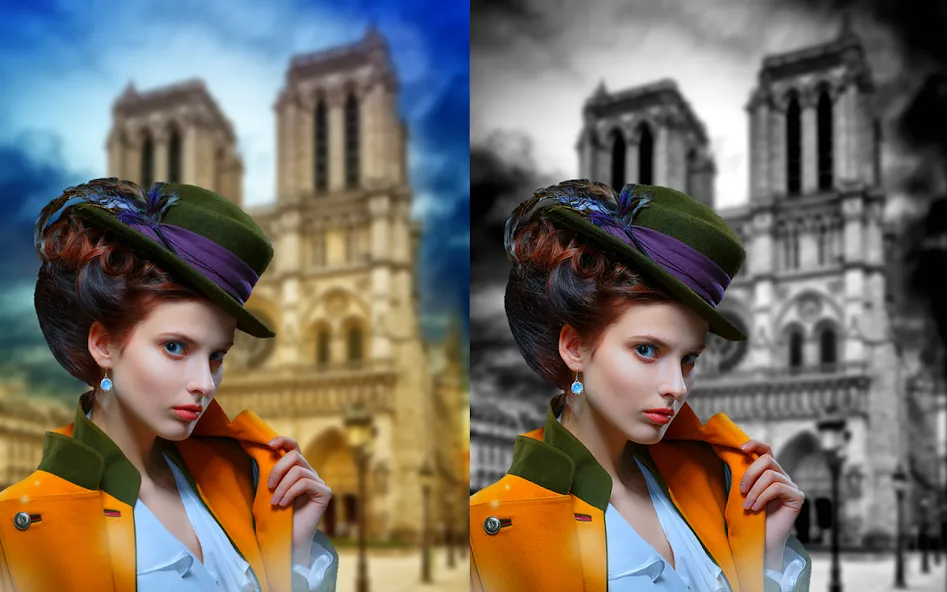
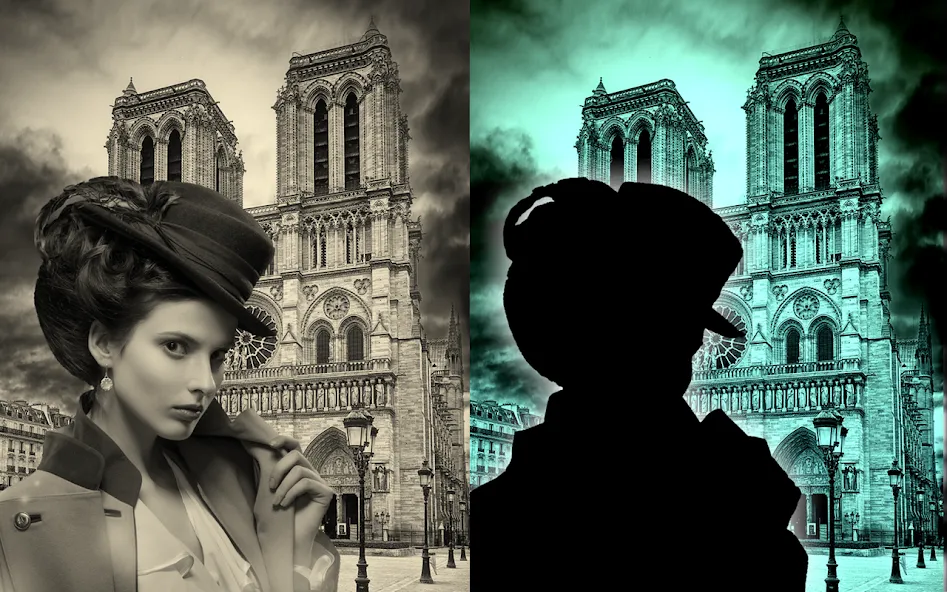
PhotoLayers-Superimpose,Eraser is a comprehensive photo editing tool. It features a powerful background-erasing function that empowers users to unleash their creativity and master the art of crafting stunning photo composites. With PhotoLayers-Superimpose,Eraser, you can combine up to 11 photos simultaneously to create intricate and captivating compositions. Additionally, the app includes handy color-adjustment tools, allowing you to make the colors in your images more vivid and appealing.
Highlights:
Background Eraser creates transparent cutouts
Combines up to 11 pictures
Simple workflow suited to thumbnails and collages
Includes color-tone adjustments
Supports PNG and JPG output according to users
Features:
Effortless Background Removal
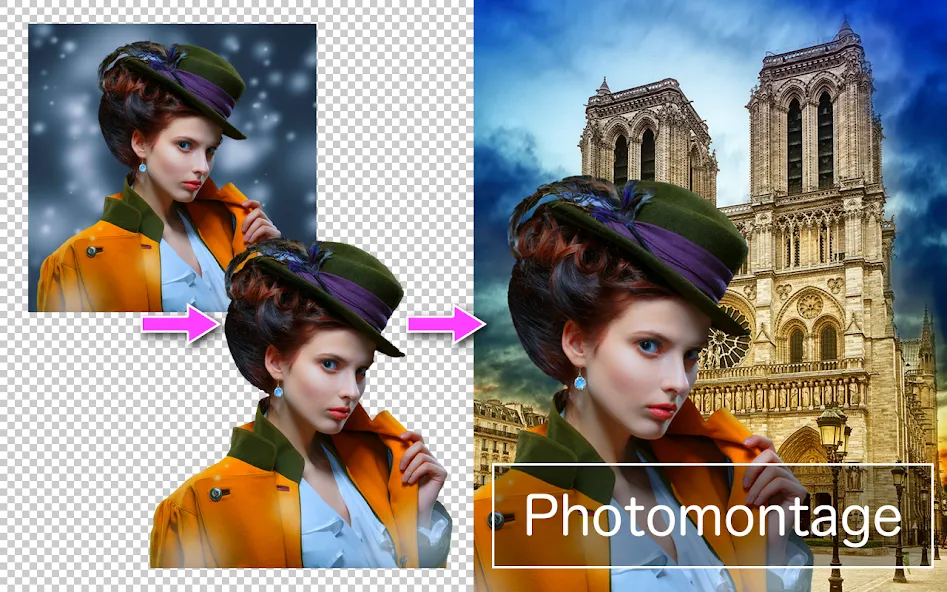
Got an unwanted background? With the eraser tool, you can make parts of your photo transparent in just a few taps. No fuss, no complicated steps.
Layer Up to 11 Images
Mix and match up to 11 photos at once—think collages, creative superimpositions, even funny mashups. It opens up lots of options, whether you’re working on a meme or a memory board.
Color Tone Adjustments
Make your creation pop by tweaking the color tones. Warm it up, cool it down, or just fine-tune your image so it matches your vision.
Creative Photomontages
Stack pictures, experiment with different combinations, and see what you come up with. You don’t need any design experience to have fun or surprise yourself.
Pros & Cons:
Pros
Ability to superimpose multiple images onto each other
Easy to use interface
Offers a variety of editing tools like eraser and blending modes
Supports multiple layers for advanced editing
Provides options for adjusting transparency and opacity levels
Free to use with in-app purchases for additional features
Cons
Contains ads that can be disruptive to the editing process
May require a learning curve for users new to photo editing applications
Conclusion:
This app is a must-have for anyone who wants to create stunning photomontages effortlessly. With its powerful background eraser, ability to combine multiple pictures, color tone enhancements, and user-friendly interface, you can unleash your creativity and become a great artist. Don't miss out on the chance to download this app and take your photos to the next level!
More Information
- Size:19.80MB
- Version:36.0.0
- Requirements:Android 10.0+
- Package Name:com.handycloset.android.photolayers
- Signature:acfc3a997b66f55187a6b427ce28cddb
Related topics
-
Welcome to our image editing apps! Perfect for beginners and pros alike, they make photo enhancement easy. Use PicsArt to crop, adjust colors, and apply filters. Remove backgrounds instantly with Remove.bg. Get creative with layers and advanced tools on Adobe Photoshop Express. Start transforming your images today!
-
![PhotoLayers-Superimpose,Eraser]()
PhotoLayers-Superimpose,Eraser
-
![3DLUT mobile 2]()
3DLUT mobile 2
-
![Sticker Maker - WASticker]()
Sticker Maker - WASticker
-
![GCamera]()
GCamera
-
![Snap Pro]()
Snap Pro
-
![Photo Lab PRO Picture Editor]()
Photo Lab PRO Picture Editor
-
![We Heart It]()
We Heart It
-
![Aarya Editz]()
Aarya Editz
-
-
Photography is an art form that has been around for over a century and has evolved greatly over the years. With the advent of technology, photography has become more accessible and convenient, especially with the rise of mobile photography. Mobile photography has revolutionized the field of photography, making it possible to capture and edit high-quality photos right from your smartphone. As mobile photography continues to grow in popularity, there is an abundance of mobile apps available for photography enthusiasts. However, with so many options available, it can be difficult to determine which apps are worth your time and investment. In this article, we’ll take a look at the top mobile apps for photography and provide you with a comprehensive guide to help you choose the best app for your needs.
-
![PhotoLayers-Superimpose,Eraser]()
PhotoLayers-Superimpose,Eraser
-
![Presets & Filters]()
Presets & Filters
-
![GPS Map Camera]()
GPS Map Camera
-
![SODA]()
SODA
-
![PhotoGrid]()
PhotoGrid
-
![GCam Go Camera]()
GCam Go Camera
-
![GPS Map Stamp Camera]()
GPS Map Stamp Camera
-
![PhotoFunia]()
PhotoFunia
-
-
Enhance your photos effortlessly with the best free photo editing apps for Android! Whether you want to apply stunning filters, adjust brightness and contrast, remove blemishes, or create professional-quality edits, these apps offer powerful tools at your fingertips. From simple one-tap enhancements to advanced editing features like background removal and AI-powered effects, you can transform your images with ease. Explore a wide range of user-friendly and feature-rich apps, all available for free download. Start editing and make your photos stand out today!
-
![PhotoLayers-Superimpose,Eraser]()
PhotoLayers-Superimpose,Eraser
-
![3DLUT mobile 2]()
3DLUT mobile 2
-
![GCamera]()
GCamera
-
![Snap Pro]()
Snap Pro
-
![Photo Lab PRO Picture Editor]()
Photo Lab PRO Picture Editor
-
![Aarya Editz]()
Aarya Editz
-
![Mivi :Music & Beat Video Maker]()
Mivi :Music & Beat Video Maker
-
![PREQUEL]()
PREQUEL
-










Latest Updated



Popular Apps








Popular News
More+-
![Tomie Wants to Get Married Full Walkthrough, All Choices and Ending Guide]()
Tomie Wants to Get Married Full Walkthrough, All Choices and Ending Guide
2026-05-22
-
![Karryn’s Prison Gameplay Walkthrough & Strategy Guide]()
Karryn’s Prison Gameplay Walkthrough & Strategy Guide
2025-10-28
-
![Life in Santa County Game Guide & Complete Walkthrough]()
Life in Santa County Game Guide & Complete Walkthrough
2025-10-28
-
![Dreams of Desire Complete Walkthrough and Game Guide]()
Dreams of Desire Complete Walkthrough and Game Guide
2025-10-28
-
![Era Hunter Gameplay Guide & Full Walkthrough]()
Era Hunter Gameplay Guide & Full Walkthrough
2025-10-28




