
Canon Camera Connect
Download for Android This app is available for Android only.- Category:Photography
- Rating:
- Language:English
- Updated:2026-11-12
Screenshots
Introduction
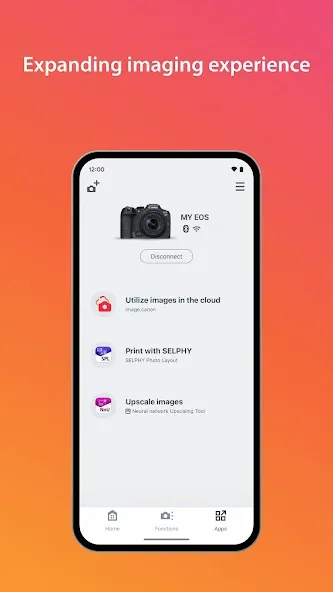
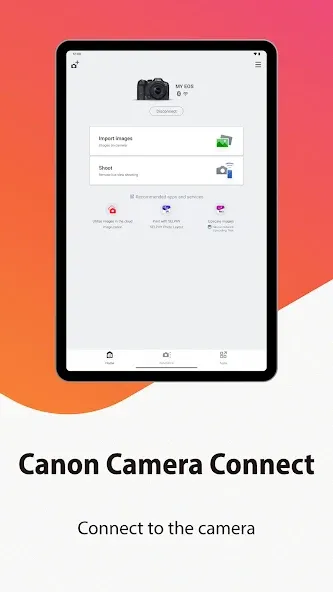
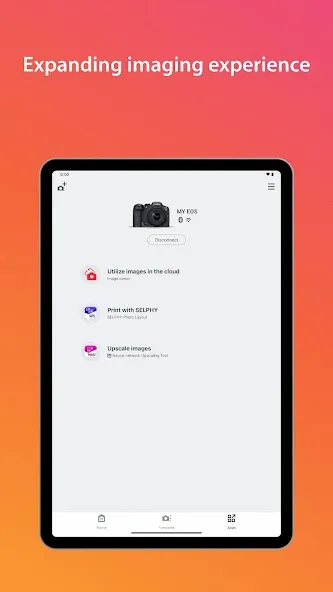
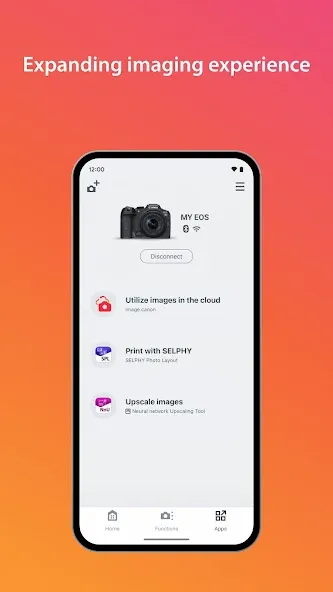
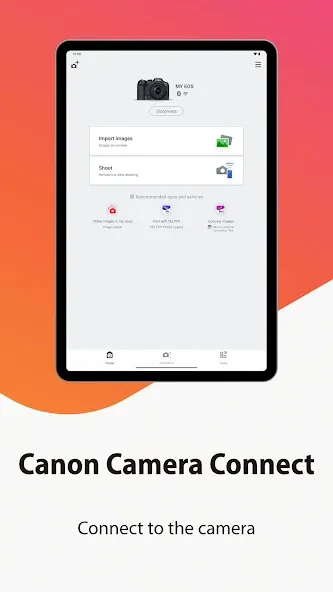
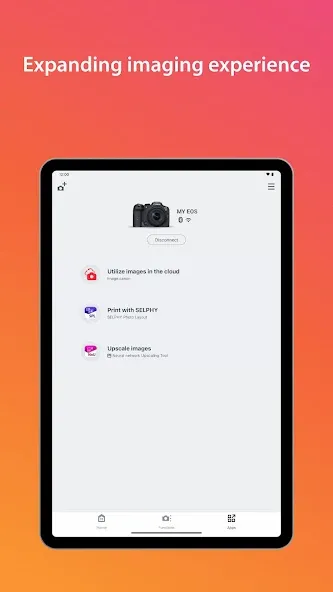
Canon Camera Connect is an image transfer application that enables users to transfer images from their camera to a mobile device via a Wi-Fi connection. It also allows users to access and control various Canon services—such as remotely triggering the camera shutter—to facilitate the shooting process. The app supports multiple languages and accommodates the import of various file formats, including JPEG and MP4, to meet diverse photography and editing needs. Please note, however, that the application has specific device compatibility requirements and necessitates the use of Android 5.0 or later.
Features of Canon Camera Connect:
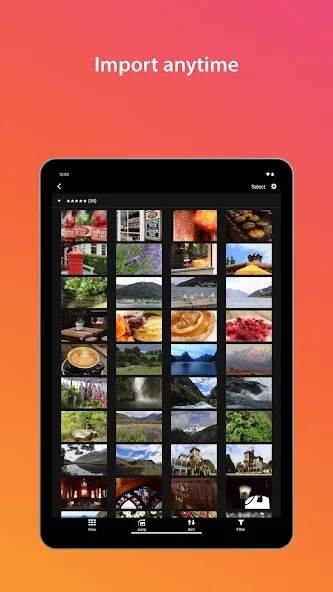
Quick Wi‑Fi transfers: Move images and videos from compatible Canon cameras straight to your phone or tablet so you can review, edit, and share on the spot.
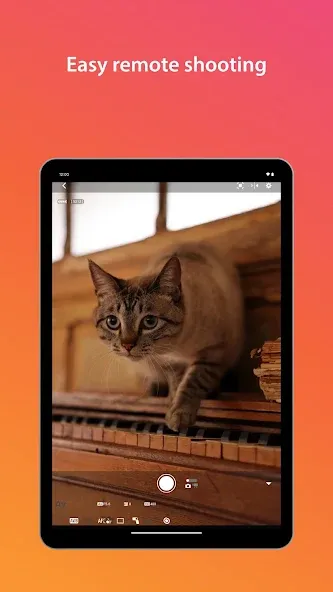
Remote live view shooting: Turn your phone into a remote control with a live preview. Frame the scene, fine-tune focus, and fire the shutter without touching the camera.
Location tagging from your phone: Add your smartphone’s GPS info to photos taken on the camera to remember exactly where each shot was captured.
Easy pairing and switching: Start with low‑energy Bluetooth for a steady link, then hop to Wi‑Fi automatically when it’s time to transfer bigger files. NFC tap-to-connect is supported on compatible models.
Bluetooth shutter release: Use your phone as a simple, low-power remote to snap group shots, long exposures, or wildlife scenes quietly.
Functions of Canon Camera Connect:
For those who own compatible cameras, Canon Camera Connect provides options to transfer the latest firmware updates. This feature helps users keep their camera’s software up to date, ensuring optimal performance and access to new features as they become available.
Canon Camera Connect is designed with user convenience in mind, but it’s worth noting that the app may not operate properly on all Android devices. Should users encounter any issues, a simple restart of the application often resolves the problem. Additionally, for those using a Power Zoom Adapter, it’s essential to activate the Live View function within the app to ensure compatibility.
The application supports a range of languages, including Japanese, English, French, Italian, German, Spanish, Simplified Chinese, Russian, Korean, and Turkish. This wide language support makes the app accessible to a diverse audience, accommodating users from different regions.
Regarding file types, Canon Camera Connect supports JPEG and MP4 formats for image and video transfers. However, it is important to note that the app does not support the importing of original RAW files; instead, these files are resized to JPEG during the transfer process. Additionally, specific video formats, such as MOV files and 8K movie files captured with EOS cameras, cannot be saved through the app.
User Reviews of Canon Camera Connect:
It seems that most people struggle with the app, but I have had no issues whatsoever. I ensure to connect to the camera directly via the WiFi point created by the camera itself, and not through a router. My phone is set to not automatically connect to saved WiFi networks, and I'm fairly certain that most of the issues people are experiencing is because they're phones connect to another saved WiFi connection, since the one created by the camera does not have an internet connection.
I have been impressed with this! I naturally find new technical technology tricky to understand and learn, but I've managed to work this with little trouble and everything slotted nicely in place! I'm impressed with the "live view" and even taken a couple of pictures remotely and viewed them with ease. Personally I feel canon has done a grand job with this and I will look forward to making good use of it! I've find it works best to switch camera on 1st, connect device and then open app.
Using a Canon T7 with a pixel 2. I've had no issues connecting my phone to the camera and using the various functions. It's a great way to control the camera remotely during photoshoots, then transferring those files to my phone and sharing on social media. Batteries on both the phone and camera will drain quickly while connected so keep that in mind.
I love this app! I able to download my photos to my ipad or iphone anywhere. I also used it as a remote trigger when mine when haywire while I was out shooting. You have to enter the assigned password to each device and get that device to find the wifi for the camera, then you can start downloading. I especially loved it when on vacation to places I won't get back to for a long time. I was able to proof my photos and when I didn't like what I saw, I could go back and do a retake. Very happy with how it works and how easy it is to use.
FAQs of Canon Camera Connect:
How do I connect my camera to the Canon Camera Connect app?
To connect your camera, first enable Wi-Fi or Bluetooth on your camera, then open the Canon Camera Connect app on your mobile device and follow the prompts to pair the devices.
Can I transfer images from my camera to my phone using the app?
Yes, you can easily transfer images from your Canon camera to your smartphone or tablet using the Canon Camera Connect app.
Can I use Canon Camera Connect for live view shooting?
Yes, you can use the app for remote shooting in live view mode if your camera supports this feature.
What file types can be transferred using Canon Camera Connect?
You can transfer JPEG and RAW files from your Canon camera to your mobile device using this app.
Does the app provide image editing features?
Canon Camera Connect offers limited editing features; for extensive editing, you may need to use other graphic software or apps.
Conclusion:
A free Android companion for compatible Canon cameras and camcorders, Canon Camera Connect turns a phone into a live-view remote and a wireless destination for images. It removes the PC from quick transfers and lets photographers operate the camera without touching it.
More Information
- Size:28.78MB
- Version:3.6.11.7
- Requirements:Android
- Package Name:jp.co.canon.ic.cameraconnect
- Signature:b79a2e3c1ad60ce3389d4fcbfbf05eac
Related Versions
-
 Download
Version:3.5.12.16Size:21.3MB
Related topics
-
Utility apps are indispensable in our lives, making our daily routines more convenient. To help you find these apps more easily, this site has created a collection. This collection brings together a series of practical tools covering various aspects of life, work, and education, meeting all your needs. What are you waiting for? Try these apps now and make your life easier!
-
![Ubisoft Connect]()
Ubisoft Connect
-
![ToonHQ for Toontown Rewritten]()
ToonHQ for Toontown Rewritten
-
![App Hider]()
App Hider
-
![My Verizon]()
My Verizon
-
![Galaxy Wearable]()
Galaxy Wearable
-
![Prank Meme Sounds Soundboard]()
Prank Meme Sounds Soundboard
-
![AirDroid Cast]()
AirDroid Cast
-
![FreePrints]()
FreePrints
-
-
With the development of mobile hardware and software, many practical tool software have emerged, covering a wide range of aspects and becoming a good helper for everyone in work and life. Today, the editor provides you with a list of useful tool software downloads. These tools are not particularly complex types, and after reading them, everyone can quickly learn how to use them. Proper use can bring great convenience to life and work.
-
![Ubisoft Connect]()
Ubisoft Connect
-
![App Hider]()
App Hider
-
![32bit or 64bit]()
32bit or 64bit
-
![Galaxy Wearable]()
Galaxy Wearable
-
![AirDroid Cast]()
AirDroid Cast
-
![FreePrints]()
FreePrints
-
![DroidCam Webcam]()
DroidCam Webcam
-
![Canon Camera Connect]()
Canon Camera Connect
-







Latest Updated







Popular Apps








Popular News
More+-
![Tomie Wants to Get Married Full Walkthrough, All Choices and Ending Guide]()
Tomie Wants to Get Married Full Walkthrough, All Choices and Ending Guide
2026-05-22
-
![Karryn’s Prison Gameplay Walkthrough & Strategy Guide]()
Karryn’s Prison Gameplay Walkthrough & Strategy Guide
2025-10-28
-
![Life in Santa County Game Guide & Complete Walkthrough]()
Life in Santa County Game Guide & Complete Walkthrough
2025-10-28
-
![Dreams of Desire Complete Walkthrough and Game Guide]()
Dreams of Desire Complete Walkthrough and Game Guide
2025-10-28
-
![Era Hunter Gameplay Guide & Full Walkthrough]()
Era Hunter Gameplay Guide & Full Walkthrough
2025-10-28




