
PicMonkey
Download for Android This app is available for Android only.- Category:Photography
- Rating:
- Language:English
- Updated:2026-11-16
Screenshots
Introduction
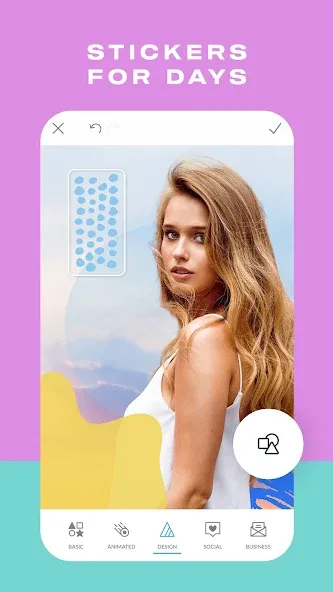
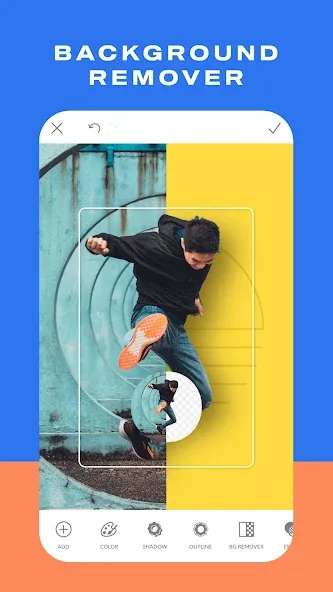
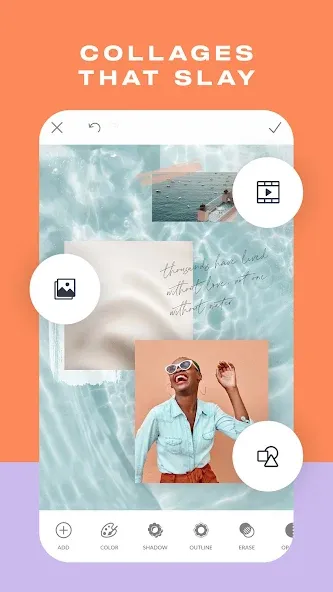
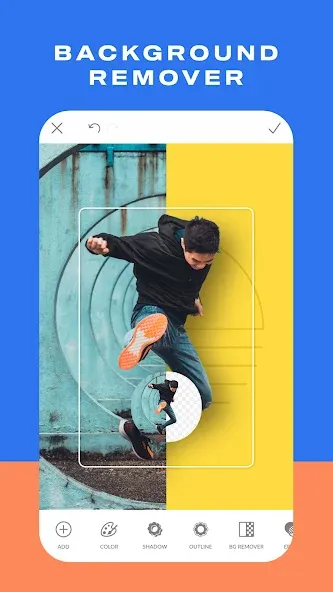
PicMonkey is a photo editor that meets both your everyday photo-editing needs and your professional requirements for creating posters, icons, and more. It offers a diverse range of editing assets—including various backgrounds, facial feature enhancements, filters, and text styles—that you can freely add, reposition, resize, and adjust for transparency to craft high-quality visuals. Once your editing is complete, you can quickly save your work to your device or share it directly to various social media platforms to garner likes from others.
Features of PicMonkey:
Easily boost pics with photo editor effects like B&W, Instafilm, LightLeak, and so many more.
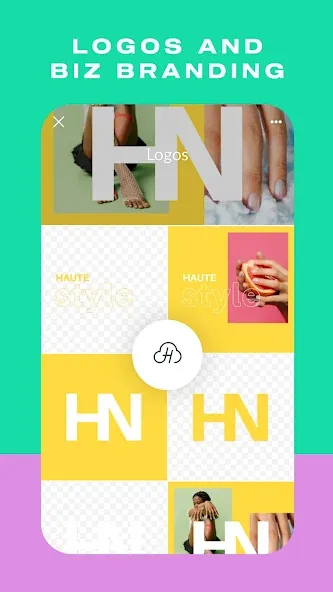
Create designs by starting with a background, then adding graphic stickers or your own overlays—hello logos!—and keep transparency.
Touch up portraits with makeup editor tools for complexion, contouring, eyes and teeth (in-app purchase).
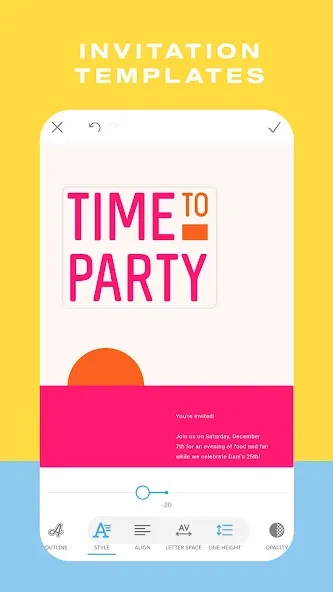
Add text to photos, and style it right with customizable drop shadows, and letter spacing.
Draw, erase, and adjust transparency on everything, including graphic stickers.
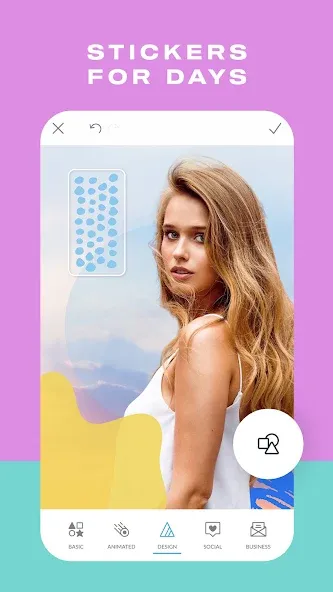
Boost photo design with our fresh, unique graphic stickers.
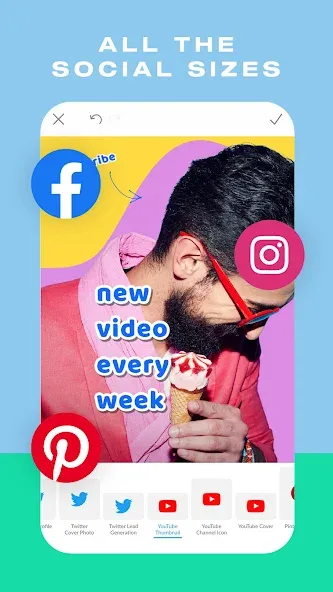
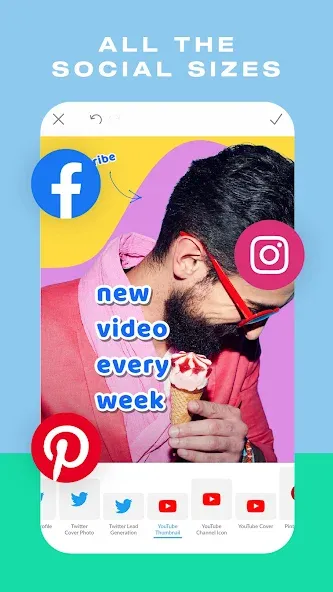
Crop and resize images for Facebook, Twitter, Instagram, Etsy, and Pinterest with pre-made sizes.
Retouch photos on the quick with "Presto" automatic adjustments.
Keep your photo editor creations in our integrated storage, and continue editing on desktop (in-app purchase)
Share easily to social media — Instagram, Facebook, all your faves.
Useful Tips of PicMonkey:
Eraser: PicMonkey has a lot of very cool special effects but sometimes you don’t want the effects to cover your entire image. Good news! You don’t have to! You can use the eraser tool to remove part of the effect. You can also use the eraser tool to remove part of an overlay.For example, I added the Black & White effect to a photo by clicking the Effects wand icon in the left menu and choosing Black & White. I then clicked on the Paint Brush Box to reveal the Paint window.
Layer Images: You can put images on top of images with PicMonkey. This can come in very handy if you want to add your logo, a picture-in-picture effect, create a Facebook or blog header, or design another layered image.To layer images, click on the Butterfly icon in the left menu bar to reveal a choice of overlays you can add to your photo. Click on the Your Own button to add an image from your computer to the photo. You can also click on the down arrow to reveal a drop-down menu to add an image directly from:
Size it right: Images need to be optimized for wherever you plan to use them, whether you’re sharing them on Instagram or posting them on your blog. If the photo’s dimensions are too large, it’ll take too long to download. If the photo is too small, the browser will expand it, which could make it look botched. Find out the exact size you need, then resize or crop the image to those dimensions. For printing, refer to our handy pixels-to-inches conversion chart.
Crop for composition: An oft-quoted quip by legendary photojournalist Robert Capa goes, “If your photographs aren’t good enough, you’re not close enough.” Our crop tool helps you correct that problem by cutting out the excess and homing in on what’s most important. Use crop to adjust the composition of your photo and even change the shape. If you want to preserve your photo’s dimensions, select Scale photo and plug in the right dimensions.
User Reviews of PicMonkey:
Thanks for making this appI like it very much.Although there is a downside. I want to download my pictures I created, but it cost cash. This disappoints me. I work hard on my photos and I cannot even download them. I’m not trying to be mean, but I’m just suggesting to lower the price and ability to use this app. Maybe you can let people download their photos and creations for free, but if the quality of the photo is 90 or above, it can cost money. They can just make the quality of the photo 89 percent. Picsart uses this method. I think it’s a great idea for pic monkey too, because you can get better reviews and more people will be able to enjoy making creations and editing photos without thinking of paying money to make something of their own, instead of forcing them to pay to keep their own creations. I think this is unfair. On the other hand, it’s pretty great. There is a lot of ability’s and methods you can use to create, and edit photos. I like it pretty much. Thank you for putting a lot of effort into this.
I have been using Pic Monkey for years upon years. I have them set up for auto pay because I’ve been able to count one of the best photo editing programs out there. In the past year however, if I want their best editing features, I have to pay extra. Instead of jumping on and seeing new exciting features that I get for being a paid customer. Now, I’m a low end paid customer. Example, if I want to use auto background removal. The option is there, but to use it you have to upgrade or use manual. The manual works almost intentionally bad. That way you’re encouraged to pay and use the auto. Same with “Effects”, if you want to use one of the 4 new ones, you have to pay for them. I bought into it, but I’m learning that they are nothing more of the same effects with slight changes in contrast or brightness. Then slapped with a new name/label ...then I’m charged extra to use it. It never used to be like this. I’ve always felt like I was a valued customer before and that I was already paying for this great app. Now I feel like I’m being nickeled and dimed if I want a great app. For the first time in years, I’m thinking about shopping around for a new photo editing app.
FAQs of PicMonkey:
Can I Use PicMonkey for Free?
You can use PicMonkey for free with an email signup, but free accounts can’t download or share creations. Upgrade to a Basic or Pro plan for full access to features and downloads.
How to Upgrade or Downgrade My PicMonkey Subscription?
Learn how to upgrade or downgrade your PicMonkey subscription plan from your account page.PicMonkey offers Basic, Pro, and Business subscription plans. Basic and Pro are available with monthly or annual billing, while Business is billed annually.You can upgrade or downgrade your subscription at any time, but you must make the change through the same platform where you originally purchased your subscription.
What Happens to Hub Images if I Downgrade or Cancel?
If you downgrade or cancel, your Hub images stay saved but features change. You may lose access to PDF downloads, Brand Kit, and custom fonts, and canceled accounts can’t download or share files.
Which File Types Are Supported in PicMonkey?
PicMonkey supports JPG, PNG, SVG, MP4, and GIF uploads. Basic users can download in JPG, PNG, MP4, or GIF, while Pro and Business users can also export as PDF.
How Do I Open a Photo in PicMonkey?
Open photos in PicMonkey by clicking Create New, dragging and dropping, or using Add Image from the toolbar. You can upload from your computer, cloud storage, or use templates to start designing.
Conclusion:
If you're looking to touch up portraits, PicMonkey offers a range of Makeup editor tools. These tools allow you to enhance complexion, contouring, eyes, and teeth, giving your portraits a polished and professional look. While some of these tools require an in-app purchase, they provide a comprehensive set of options for portrait editing.
More Information
- Size:184.41MB
- Version:1.19.7
- Requirements:Android
- Package Name:com.picmonkey.picmonkey
- Signature:2703c7ef393381ef88afe41121949824
Related topics
-
Visuals serve as a primary gateway for players to engage with games, where distinctive art direction immediately captures attention and creates lasting impressions. An unconventional aesthetic not only stands out in crowded markets but also enhances immersion and emotional connection. When executed with creativity and polish, striking visuals elevate gameplay into a memorable artistic experience. That's why titles with truly exceptional art styles deserve recognition - they offer both visual delight and meaningful interactive expression that resonates with players long after the session ends.
-
![PicMonkey]()
PicMonkey
-
![GCamera]()
GCamera
-
![AniDub Max]()
AniDub Max
-
![Photo Lab PRO Picture Editor]()
Photo Lab PRO Picture Editor
-
![Kwiky]()
Kwiky
-
![Memes]()
Memes
-
![PREQUEL]()
PREQUEL
-
![Story Editor]()
Story Editor
-
-
Enhance your photos effortlessly with the best free photo editing apps for Android! Whether you want to apply stunning filters, adjust brightness and contrast, remove blemishes, or create professional-quality edits, these apps offer powerful tools at your fingertips. From simple one-tap enhancements to advanced editing features like background removal and AI-powered effects, you can transform your images with ease. Explore a wide range of user-friendly and feature-rich apps, all available for free download. Start editing and make your photos stand out today!
-
![PhotoLayers-Superimpose,Eraser]()
PhotoLayers-Superimpose,Eraser
-
![3DLUT mobile 2]()
3DLUT mobile 2
-
![PicMonkey]()
PicMonkey
-
![GCamera]()
GCamera
-
![Snap Pro]()
Snap Pro
-
![Photo Lab PRO Picture Editor]()
Photo Lab PRO Picture Editor
-
![Aarya Editz]()
Aarya Editz
-
![Mivi :Music & Beat Video Maker]()
Mivi :Music & Beat Video Maker
-
-
The demand for taking and editing images is increasing among modern people, and free image editing software has become an ideal choice to meet this demand. Through these apps, users can easily edit images, including cropping, rotating, adjusting brightness and contrast, and more. At the same time, they also provide rich filters and special effects to make your photos more vivid and artistic. In addition, these software also support adding elements such as stickers, text, and graffiti to make your pictures more personalized. Most importantly, these apps are very easy to use and do not require professional skills. Just a few steps can make your photos stand out. Whether you want to post a stunning photo on social media or add some creativity to your album, these free photo editing apps can meet your needs. Try one out!
-
![PicMonkey]()
PicMonkey
-
![Sticker Maker - WASticker]()
Sticker Maker - WASticker
-
![Magicface-AI Face Swap]()
Magicface-AI Face Swap
-
![GCamera]()
GCamera
-
![FaceFlip]()
FaceFlip
-
![Photo Lab PRO Picture Editor]()
Photo Lab PRO Picture Editor
-
![We Heart It]()
We Heart It
-
![Aarya Editz]()
Aarya Editz
-





Latest Updated

Popular Apps






Popular News
More+-
![Tomie Wants to Get Married Full Walkthrough, All Choices and Ending Guide]()
Tomie Wants to Get Married Full Walkthrough, All Choices and Ending Guide
2026-05-22
-
![Karryn’s Prison Gameplay Walkthrough & Strategy Guide]()
Karryn’s Prison Gameplay Walkthrough & Strategy Guide
2025-10-28
-
![Life in Santa County Game Guide & Complete Walkthrough]()
Life in Santa County Game Guide & Complete Walkthrough
2025-10-28
-
![Dreams of Desire Complete Walkthrough and Game Guide]()
Dreams of Desire Complete Walkthrough and Game Guide
2025-10-28
-
![Era Hunter Gameplay Guide & Full Walkthrough]()
Era Hunter Gameplay Guide & Full Walkthrough
2025-10-28




