

Cupixel
Download for Android This app is available for Android only.- Category:Photography
- Rating:
- Language:English
- Updated:2026-11-29
Screenshots
Introduction
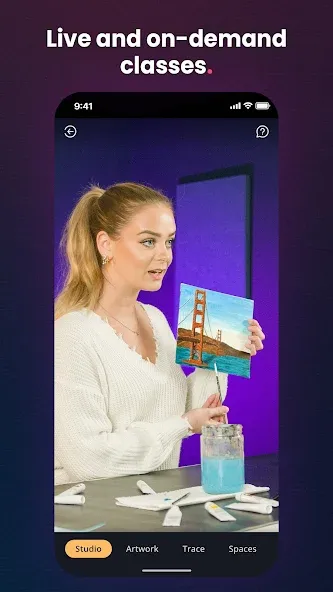
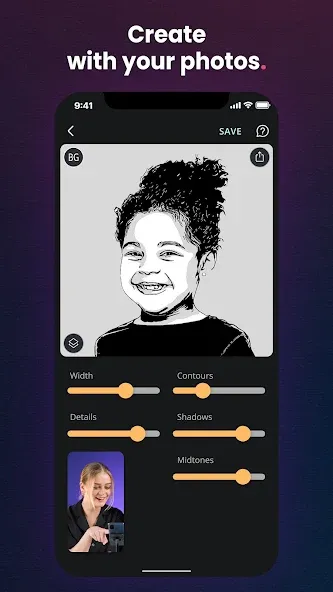
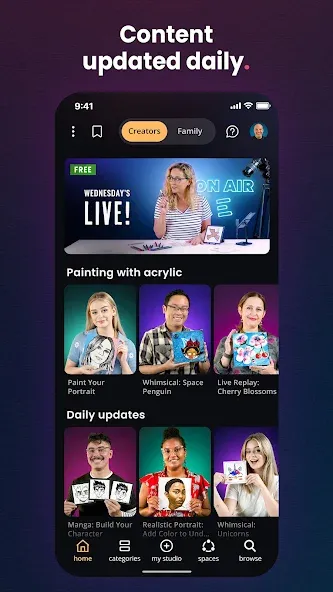
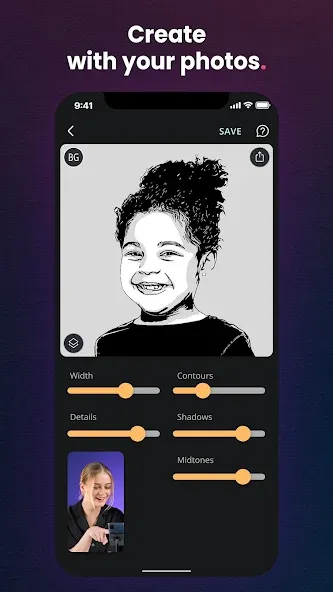
Cupixel is a photo-editing and learning tool designed specifically for beginning artists. It offers a wide range of drawing tutorials, and users can also upload their own photos, which the app then converts into outlines ready for tracing—allowing users to gradually build their artistic skills through step-by-step practice. You can download video tutorials in various styles to your device, making it easy to watch them whenever you have a spare moment. Additionally, while you draw, you can incorporate diverse font styles and attractive decorative elements to make your artwork even more beautiful.
Features of Cupixel:
Smart Trace: The Augmented Reality technology locks onto the corner of your chosen surface, ensuring accurate and error-free tracing.
Use Any Surface: Whether it's canvas, paper, cookies, or even shoes, the app allows you to unleash your imagination on any material of your choice.
Make Huge Artworks: With the wide-angle camera on most phones, you can confidently trace and create artworks up to 16"x20" in size.
Drag Tool: Easily compose your masterpiece by dragging and scaling your tracing anywhere on the surface.
Text Editor: Personalize your art by typing your own text and selecting from a wide variety of fonts available for tracing.
Time Lapse Generator: Record a video of the art creation process to share on your social media platforms, capturing the journey from start to finish.
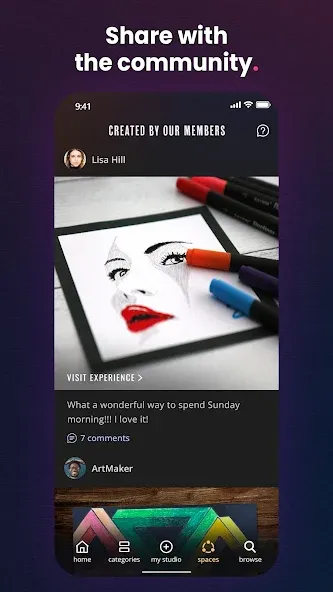
Spaces: Join the vibrant community and share your creations with fellow artists, gaining inspiration and feedback.
Highlights of Cupixel:
App does not only allow background interaction, but also has a “magic eraser”, which allows you to quickly and easily remove unwanted elements from images. Use your finger to select the areas you wish to remove from your images. The tool size can be adjusted to make quick or precise selections. After everything is identified, confirm the selection and the app will do the rest. It will produce high-quality, erased photos that are AI supported.
Cupixel can be used to enhance the drama and realism of your photos by adjusting shadows. This is especially true for those created by treatments that you have added. With the simple and practical settings for shadows, you will have no problem figuring out what to do with this app. The app can also change the lighting, making photos even more vibrant and attractive. It also offers different suggestions for shadow-related work, which gives you more ideas on how to change the authenticity of your photos.
Cupixel allows users to remove unwanted objects and improve the quality of their photos. In just a few easy steps, you can remove any distracting or unappealing elements from your photos. This app makes it easy to create high-quality photos without any technical knowledge.
Cupixel is a revolutionary app that uses AI to create an endless range of product images. This feature is a game changer for ecommerce businesses who are looking for visually appealing images. This app uses advanced algorithms to ensure that every image is visually appealing and unique, enhancing the presentation of products.
User Reviews of Cupixel:
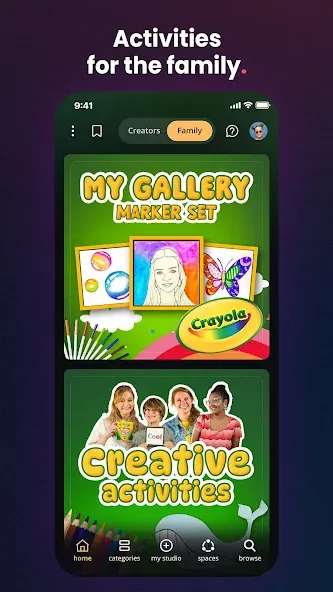
What a brilliant little app. First I was upset because you only get a few free images you can trace and you cannot access images in your own gallery without paying. But, fair enough the images are useful to establish if you like the app or not. It's so simple. My 9 year old effortlessly drew some spectacular images. We decided to get the app for 7.99$ per month. He's enjoying it so much. As a bonus when you sign up, you can add 3 extra family members or friends to use the full app. Very happy.
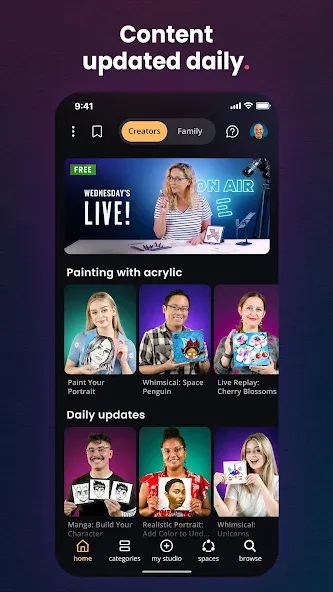
I highly recommend this app even if you are an advanced artist this app is amazing! there is over a thousand plus artisan lead projects they're constantly adding more. what's even more so is the people who are bringing these projects to you they are wonderful they're warm they're caring they really do help you and answer all of your questions. not only that but they remember the little details with each one of us and the app is constantly getting better every time they have an update.
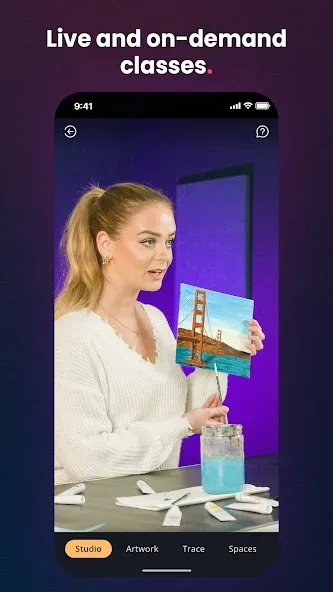
Cupixel is a great app for experienced, or even novice artist. They are currently adding even more to the app, making it even better! You can pick from their suggested projects, or import your own pictures to draw and paint. From converting your image into a sketch to tracing through your devices camera, instructional videos help you along your way. Pause the video while you work on your project, or chat with instructors. You will be creating your own works in no time!
I've been disabled since 2019. I have been trying so hard to draw and paint. So frustrating. My hubby bought this for me. If you need someone to promote your product. I would be honored. This product is AMAZING and FUN. I am actually drawing animals and so much more. I don't have a channel on any social media. If you send something to put on my car, I will be happy to promote this product. We Alaskans have fridged dark winters up here and not much to do. Until now.Thank you a million times over.
FAQs of Cupixel:
I can't draw at all. Can I still paint a photo of my dog?
Yes. Start with a photo of your dog and use Cupixel to create a traceable outline. Position your phone above the canvas, align and size the image, and trace the main contours onto the physical canvas. You can then paint from the traced foundation rather than trying to draw the proportions freehand. Cupixel also includes pet portrait classes that demonstrate tracing, canvas preparation, color, fur, shadows and other painting techniques. Using your own personal photos requires a Cupixel membership.
Do I need drawing skills to use Cupixel?
No drawing experience is required to start using Cupixel. The tracing feature helps establish the proportions, shape and placement of an image before you begin adding color and detail. You still create the physical artwork yourself, but you do not have to begin by reproducing the reference image freehand. Cupixel's artist-led classes are also designed to teach creative techniques as you work.
How does AR photo tracing work?
Cupixel uses your phone camera to show your real work surface and a digital reference image together on the screen. After positioning your phone above the canvas or paper, you align and scale the digital outline over the live camera view. You then trace the lines onto the real surface while looking through the phone screen. The phone does not need to shine the reference through the canvas; the guide is shown as a camera overlay.
Can I trace my own photos with Cupixel?
Yes. Cupixel can turn a personal photo into a traceable outline that you can use for physical artwork. Personal-photo tracing is available with a Cupixel membership. You can also use designs and projects provided inside Cupixel.
Can Cupixel trace onto canvas, or does it only work on paper?
Cupixel can be used on canvas as well as paper and many other physical surfaces. Current use cases include canvas, paper, wood, shoes, cards, bags, accessories, cookies and other craft surfaces. Because the reference is viewed through the camera rather than illuminated through the material, the work surface does not need to be transparent like it would with a traditional lightbox.
Conclusion:
Cupixel brings a solid combo of creative tools and guided learning into a super easy-to-use app. If you've ever wanted to make cool digital art without needing a whole art school degree or a mountain of supplies, this is where you start. And even if you're already deep into the art world, it gives you new tech-driven ways to create and share.
More Information
- Size:66.06MB
- Version:10.15.6
- Requirements:Android
- Package Name:com.cupixel.canvas
- Signature:77f6c627954db7ef0dcb9e92a1ee80e7
Related Versions


Related topics
-
AI Photo Editing Apps - encompassing both image generation and enhancement tools - utilize cutting-edge machine learning algorithms to produce, refine, or transform visuals using text prompts, uploaded images, or artistic preferences. These powerful applications are reshaping digital art, photography, and media production by streamlining sophisticated processes such as professional-grade retouching, artistic style replication, and completely AI-generated artwork. By combining automation with creative control, they empower users to achieve stunning results with unprecedented speed and precision.
-
![Cupixel]()
Cupixel
-
![Face Dance]()
Face Dance
-
![Adobe Photoshop Lightroom CC]()
Adobe Photoshop Lightroom CC
-
![AI Gallery]()
AI Gallery
-
![Pixelcut AI]()
Pixelcut AI
-
![starryai]()
starryai
-
![YouCam Enhance]()
YouCam Enhance
-
![Magicface-AI Face Swap]()
Magicface-AI Face Swap
-
-
Enhance your photos effortlessly with the best free photo editing apps for Android! Whether you want to apply stunning filters, adjust brightness and contrast, remove blemishes, or create professional-quality edits, these apps offer powerful tools at your fingertips. From simple one-tap enhancements to advanced editing features like background removal and AI-powered effects, you can transform your images with ease. Explore a wide range of user-friendly and feature-rich apps, all available for free download. Start editing and make your photos stand out today!
-
![Cupixel]()
Cupixel
-
![Sweet Snap MOD]()
Sweet Snap MOD
-
![Simple Gallery]()
Simple Gallery
-
![Pitu]()
Pitu
-
![Krita]()
Krita
-
![Adobe Photoshop Lightroom CC]()
Adobe Photoshop Lightroom CC
-
![NOMO CAM Mod]()
NOMO CAM Mod
-
![X PhotoKit]()
X PhotoKit
-











Latest Updated



Popular Apps








Popular News
More+-
![Tomie Wants to Get Married Full Walkthrough, All Choices and Ending Guide]()
Tomie Wants to Get Married Full Walkthrough, All Choices and Ending Guide
2026-05-22
-
![Karryn’s Prison Gameplay Walkthrough & Strategy Guide]()
Karryn’s Prison Gameplay Walkthrough & Strategy Guide
2025-10-28
-
![Life in Santa County Game Guide & Complete Walkthrough]()
Life in Santa County Game Guide & Complete Walkthrough
2025-10-28
-
![Dreams of Desire Complete Walkthrough and Game Guide]()
Dreams of Desire Complete Walkthrough and Game Guide
2025-10-28
-
![Era Hunter Gameplay Guide & Full Walkthrough]()
Era Hunter Gameplay Guide & Full Walkthrough
2025-10-28




